

Getting Started
Welcome to Sandstorm
What Sandstorm is, how it's organized, and how to do your first thing in the platform.
What is Sandstorm?
Sandstorm is an AI-powered creative platform built around an intelligent agent. Start a chat, describe what you want, and the agent uses your brand context plus the full Sandstorm toolset to generate concepts, scripts, images, videos, and finished ads — without forcing you to context-switch between tools.
Navigating the platform
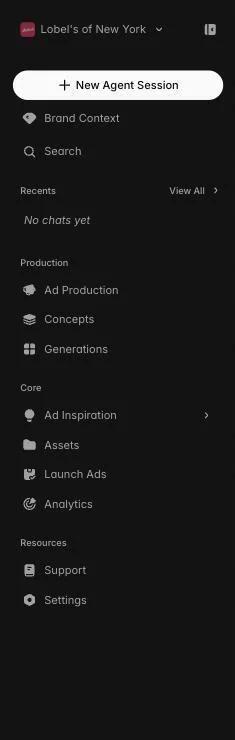
The sidebar is your main navigation hub, organized into three sections. Production has the surfaces where ads get made — Ad Production, Concepts, Generations. Core covers tracking and publishing — Ad Inspiration (Watchtower), Assets, Launch Ads, Analytics. Resources groups Support and Settings. The 'New Agent Session' button at the top starts a fresh chat with the agent, and Recents shows the threads you've been working in. Brand Context sits at the top so it's always one click away.
The agent is the home screen
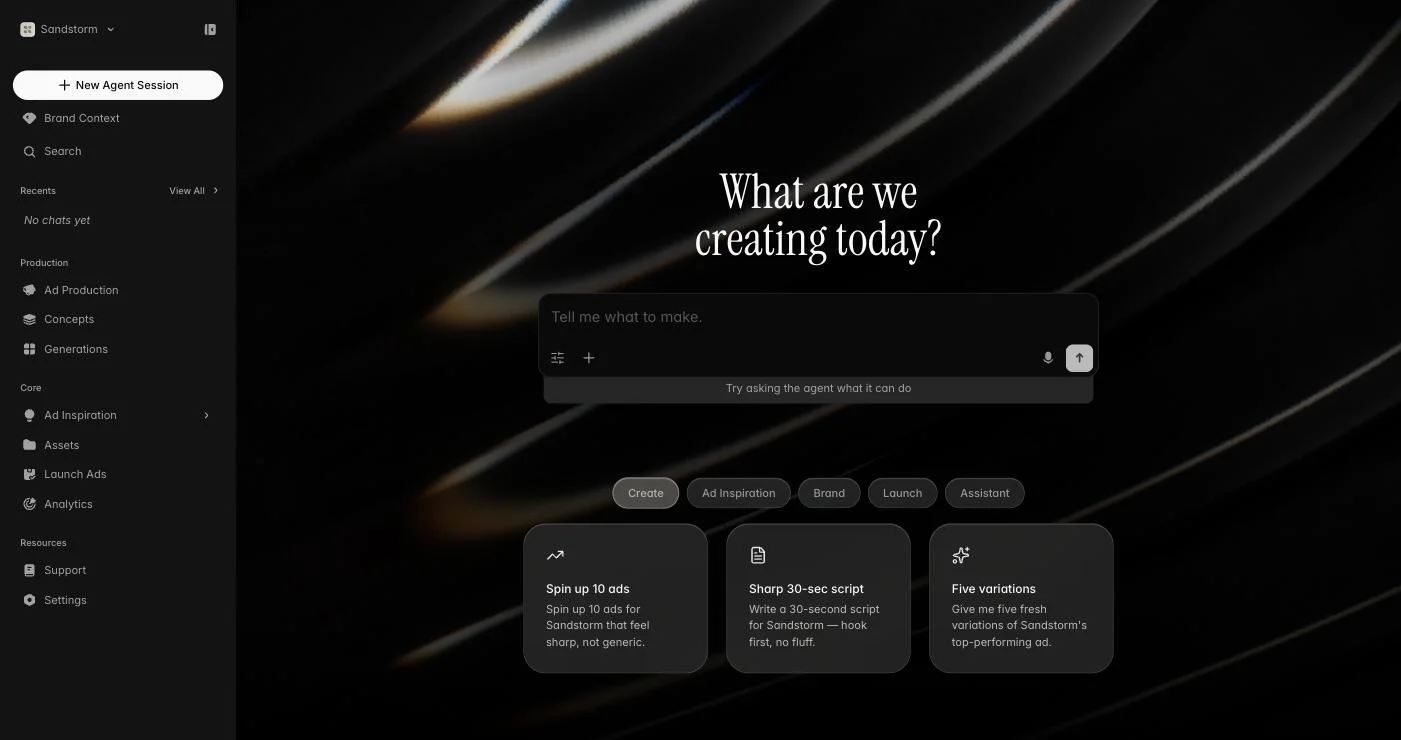
After logging in, you land in a new Agent Session. This is the fastest way to do anything in Sandstorm — describe what you want, paste a brief, ask for inspiration, or hand off a campaign and the agent will route to the right tool, pull from your brand context, and return results inline. Every sidebar surface is still available when you want direct control, but the agent is the recommended starting point for most tasks.
Your first five minutes
1. Set up your brand in Brand Context — at minimum upload a logo, set colors, and drop in your brand guidelines PDF. 2. Connect your ad accounts (Meta, Google, TikTok) from the brand's Integrations tab. 3. Start a new Agent Session and ask for something specific — 'spin up 6 static ads for our summer launch'. That's enough to see the platform work end-to-end.
Tip: Be specific in your first agent message. 'Generate 6 static ads for our new summer SPF launch, lifestyle look, target 25-35 women' produces dramatically better results than 'make ads'.